Last updated: July 2026 · Reading time: 25 min · Expertise: IPTV Payments & Fintech
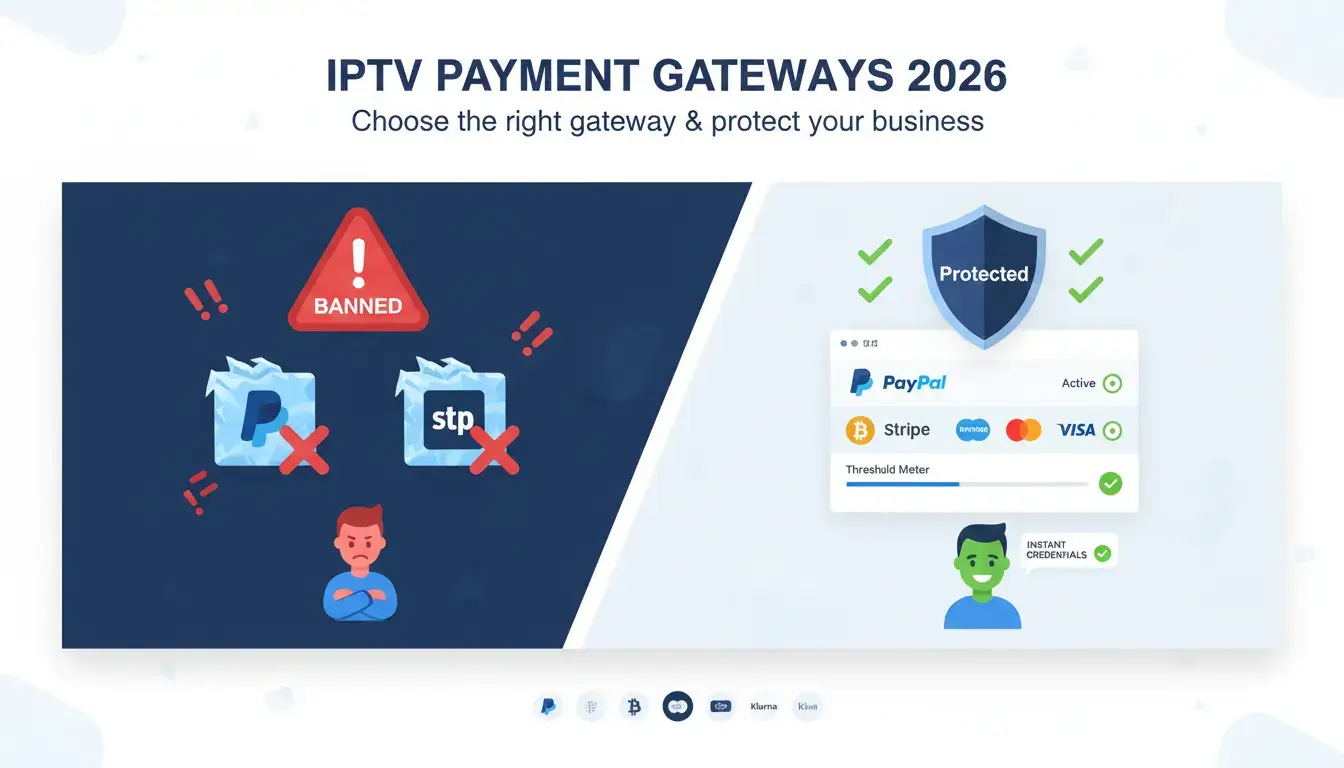
If you sell IPTV subscriptions, your payment gateway is the most fragile part of your business. One chargeback spike, one flagged transaction, and PayPal or Stripe can freeze your funds for 180 days. This is the reality of IPTV payment processing in 2026. Payment providers classify IPTV as high-risk due to copyright concerns and elevated chargeback rates. The wrong gateway kills your revenue. The right one protects it.
In this comprehensive guide, we compare the best IPTV payment methods and gateways for resellers in the US, UK, and Europe. You'll learn which payment methods boost conversion rates, which gateways actually accept IPTV businesses, and — most importantly — how to get fully protected without getting banned. Whether you're using PayPal, Stripe, crypto, or a specialized high-risk merchant account, this guide gives you a clear, actionable roadmap.
Before choosing a gateway, you need to understand why IPTV is high-risk. Payment processors use automated risk engines that scan for specific triggers. IPTV hits almost every red flag:
Payment networks like Visa and Mastercard maintain internal lists of high-risk business categories. IPTV services sit firmly on that list — right alongside online gaming and travel agencies[reference:1].
Your customers' preferred payment methods vary by region. Offering the wrong mix kills conversion rates. Here's what works in 2026.
Cards remain the dominant IPTV payment method globally. In the US and UK, over 60% of online transactions use cards. American Express is popular in the US but less so in Europe. The challenge: card networks classify IPTV as high-risk, so you need a high-risk merchant account or a gateway that specializes in digital goods.
Conversion impact: High. Customers trust card payments. Offering cards as an option increases conversion by 20-30% compared to crypto-only or bank transfer.
PayPal is widely used in the US, UK, and Europe. It offers buyer protection, which builds trust. However, PayPal actively bans IPTV sellers. In a survey of IPTV users, PayPal was the most common payment method mentioned (138 mentions), followed by crypto (66 mentions). This shows demand is high — but so is the risk. PayPal's Acceptable Use Policy prohibits payments for items that infringe copyright, and IPTV is often flagged[reference:2].
Conversion impact: Very high. PayPal is a trusted brand. Removing it can reduce conversion by 15-25%.
Crypto is the only truly "unbannable" IPTV payment method. No chargebacks, no holds, no KYC requirements for the merchant. Platforms like Binance Pay, Coinbase Commerce, and NOWPayments allow you to accept crypto with zero chargeback risk[reference:3][reference:4].
Conversion impact: Medium. Crypto adoption is growing, but still lags behind cards and PayPal. In Europe, crypto adoption is higher than in the US.
In Europe, local methods are critical. Klarna (buy now, pay later) is popular in the UK and Germany. iDEAL dominates the Netherlands. SEPA bank transfers are widely used across Europe. Offering these methods can boost conversion by 10-15% in targeted regions.
A payment gateway is the bridge between your checkout page and the payment processor. For IPTV resellers, the choice of gateway determines whether you can accept payments, how long funds are held, and whether your account gets banned. Below is an overview of the major gateways used by IPTV resellers in 2026.
PayPal is the most requested IPTV payment method by customers. It's familiar, trusted, and easy to use. But PayPal's Acceptable Use Policy explicitly prohibits "streaming services that infringe copyright." Automated risk systems scan product names and transaction patterns. If you sell IPTV through a standard PayPal Business account, you risk permanent bans and 180-day fund holds[reference:5].
Stripe offers a developer-friendly API and supports recurring billing. However, Stripe has become increasingly aggressive in banning IPTV merchants. Stripe's risk engine flags high-risk industries and terminates accounts without warning. Industries like media streaming, adult entertainment, and memberships are often classified as high-risk[reference:6]. IPTV businesses are commonly flagged due to copyright concerns and elevated chargebacks[reference:7].
Shopify Payments is powered by Stripe and follows the same risk policies. IPTV merchants are almost always rejected or banned. However, with Autotaskclick, you can use Shopify Payments indirectly by routing payments through a protected checkout flow that hides the IPTV nature of the transaction.
Whop is a full-stack platform for selling digital products, SaaS, and subscriptions. It handles payments, access control, and delivery in one place. Whop supports 100+ payment methods across 195 countries. It's a viable alternative for IPTV resellers who want an all-in-one solution.
Airwallex is a global payments platform that supports 160+ payment methods and 180+ countries. It's designed for cross-border businesses. With Autotaskclick, Airwallex can be integrated safely into your IPTV payment stack.
High-risk merchant accounts are specialized payment processing accounts for businesses that traditional banks avoid. Providers like Corepay, PayCly, SensaPay, RiskPay, and HighRiskPay.com offer dedicated IPTV merchant accounts[reference:8][reference:9]. These accounts accept card payments directly, with higher fees (3-8%) but stable processing. They are the only reliable way to accept credit cards for IPTV at scale.
Autotaskclick provides two distinct ways to accept PayPal payments, each with its own risk profile. You can use both simultaneously and assign them to different plans or countries.
This is the standard API integration using PayPal's official REST API with webhooks. Requirements: a verified PayPal Business account. You provide your Merchant ID (found in PayPal account settings), and Autotaskclick handles the rest. This option supports automatic recurring payments, disputes, and full refund handling. It is suitable for high‑volume businesses that want a familiar checkout flow.
This is the game‑changer. Use a personal PayPal account (no business verification required) to receive payments as "Friends & Family." Because these transfers are intended as personal gifts, PayPal does not apply holds, disputes, or business limitations. There are no chargebacks – once sent, the money is yours. Autotaskclick automates the entire flow:
This method has zero holds, zero limitations, and zero risk of reversal. It is the closest thing to an unbannable PayPal solution for IPTV resellers.
Stripe is a favorite among developers for its clean API and recurring billing support. But Stripe's risk engine is aggressive. IPTV merchants are flagged for high-risk categories, chargeback ratios, and transaction patterns. Stripe can terminate accounts without warning and hold funds for up to 120 days.
With Autotaskclick, you can use Stripe safely:
Crypto is the only IPTV payment method that cannot be banned by a centralized processor. Transactions are irreversible, so there are no chargebacks. You can accept Bitcoin, USDT, ETH, and other cryptocurrencies with zero KYC requirements.
Popular crypto gateways supported by Autotaskclick include:
While crypto adoption is growing, some customers still prefer cards or PayPal. Offer crypto as an option, not the only option.
High-risk merchant accounts are the only reliable way to accept credit card payments for IPTV at scale. These accounts are specifically designed for businesses that standard processors reject.
Key providers in 2026:
High-risk accounts typically charge higher fees (3-8%) and require a rolling reserve (a percentage of funds held for 6-12 months). However, they offer stability that standard gateways cannot provide.
If your IPTV business is fully licensed, look into specialized high-risk processors like High Risk Pay, RiskPay, SensaPay, or NMI for recurring billing[reference:15].
| Gateway | IPTV-Friendly? | Fees | Chargeback Risk | Autotaskclick Support | Best For |
|---|---|---|---|---|---|
| PayPal (Business) | ⚠️ With bridge | 2.89% + $0.49 | High (account bans) | ✅ Yes | High conversion, trusted brand |
| PayPal (Friends & Family) | ✅ Yes | Varies | None | ✅ Yes (automated) | Unbannable, zero holds |
| Stripe | ⚠️ With bridge | 2.9% + $0.30 | High (account bans) | ✅ Yes | Developer-friendly, subscriptions |
| Shopify Payments | ✅ With Autotaskclick | 2.4% – 2.9% | Low (with protection) | ✅ Yes | Shopify store owners |
| Whop | ✅ Yes | Variable | Low | ✅ Yes | All-in-one platform |
| Airwallex | ⚠️ With bridge | Low | Medium | ✅ Yes | Cross-border payments |
| Binance Pay | ✅ Yes | 0% | None | ✅ Yes | Zero fees, crypto |
| High-Risk Merchant | ✅ Yes | 3% – 8% | Low (with management) | ✅ Yes | Scalable, stable card processing |
Verdict: Autotaskclick supports all major gateways. The best setup is: high-risk merchant for cards, PayPal (Friends & Family + Business) for conversion, and crypto as your fallback.
Autotaskclick is not just an automation plugin — it's a complete IPTV payment protection system. It allows you to accept payments on any gateway (PayPal, Stripe, Airwallex, Whop, Shopify Payments, Binance, and many more) without getting banned. Here's how the multi‑layer protection works:
Autotaskclick allows you to link multiple accounts on each payment gateway. You can set a threshold (volume limit) per account. When the threshold is reached, the system automatically stops routing payments to that account and switches to a backup account. This reduces risk by 50% and allows you to "warm up" new accounts safely by controlling transaction volume.
You can assign specific payment gateways and accounts to specific plans. This gives you fine‑grained control over transaction volume per account. For example, low‑ticket plans use a new account to warm it up, while high‑ticket plans use established accounts.
Autotaskclick uses a professional redirection system that passes through a legitimate storefront selling legal products. The system collects different products in different quantities that equal the total amount of the IPTV plan chosen by the customer. This means:
For PayPal, Autotaskclick provides a fully automated Friends & Family option. Customers pay via personal PayPal accounts (Friends & Family) without any holds or limitations. After the payment is confirmed, the subscription is generated and credentials are sent to the customer automatically.
Competitors often try to report IPTV payment accounts by making test purchases from different countries. Autotaskclick defeats this with country‑based routing:
Autotaskclick provides a professional WhatsApp fallback system:
Most PayPal disputes for IPTV sellers come from "item not received" claims. Even a 1‑hour delay can trigger a chargeback. Autotaskclick automates the entire delivery process and ensures delivery within 20 seconds — a crucial element of how to accept PayPal for IPTV without getting banned because lower disputes = lower risk flags.
Choosing the right IPTV payment gateway depends on your business size, customer base, and risk tolerance. Follow this decision framework:
Here is the complete playbook to accept IPTV payment safely in 2026 using Autotaskclick:
The best IPTV payment gateway depends on your business size. For small resellers, PayPal (Friends & Family) + crypto works. For medium and large resellers, a high-risk merchant account is most stable. Autotaskclick allows you to use all gateways simultaneously with full protection.
Yes, with Autotaskclick. Use the Friends & Family option for zero holds and no bans. Or use a Business account with the payment bridge that redirects customers to a legal product checkout. Both options are fully automated.
A high-risk merchant account is a specialized payment processing account for businesses that traditional banks avoid, such as IPTV, CBD, or adult content. These accounts accept card payments with higher fees (3-8%) but offer stable, long-term processing. Providers include Corepay, PayCly, and HighRiskPay.com[reference:16].
Autotaskclick provides multi‑layer protection: thresholds per account to limit volume exposure, plan‑specific routing to control volume, a payment bridge that redirects through a legal product store, country‑based routing to block competitors, and instant delivery to reduce disputes.
Yes, with Autotaskclick. The system routes payments through the payment bridge, so Shopify Payments only sees legal product transactions. Your IPTV business remains hidden from Shopify's risk systems.
Stripe is not recommended for direct IPTV processing. Stripe's risk engine flags high-risk industries like media streaming and terminates accounts without warning[reference:17]. However, with Autotaskclick's payment bridge, you can use Stripe safely by redirecting customers through a legal checkout flow.
Binance Pay (zero fees, supports 100+ cryptos)[reference:18], Coinbase Commerce (easy integration, multiple coins)[reference:19], and NOWPayments (300+ cryptos, auto coin conversion)[reference:20] are all excellent choices for IPTV resellers.
Payment processing is the most fragile part of any IPTV reseller business. Standard gateways like PayPal and Stripe will ban you eventually. The solution is a layered IPTV payment strategy: a high-risk merchant account for card payments, PayPal (Business + Friends & Family) for conversion, and crypto as your unbanning fallback. Diversification is not optional — it's survival.
Autotaskclick provides the complete protection layer that ties everything together. With multi‑account thresholds, plan‑based routing, a professional payment bridge, country‑based routing, WhatsApp fallback, and instant delivery, you can accept payments on any gateway without getting banned.
Now that you understand the payment landscape, it's time to protect your revenue and scale your IPTV business safely.
Autotaskclick helps IPTV resellers automate payment routing, protect accounts with thresholds, and deliver subscriptions instantly — all in one platform. Start your free trial today.
Start Your Free Trial →