

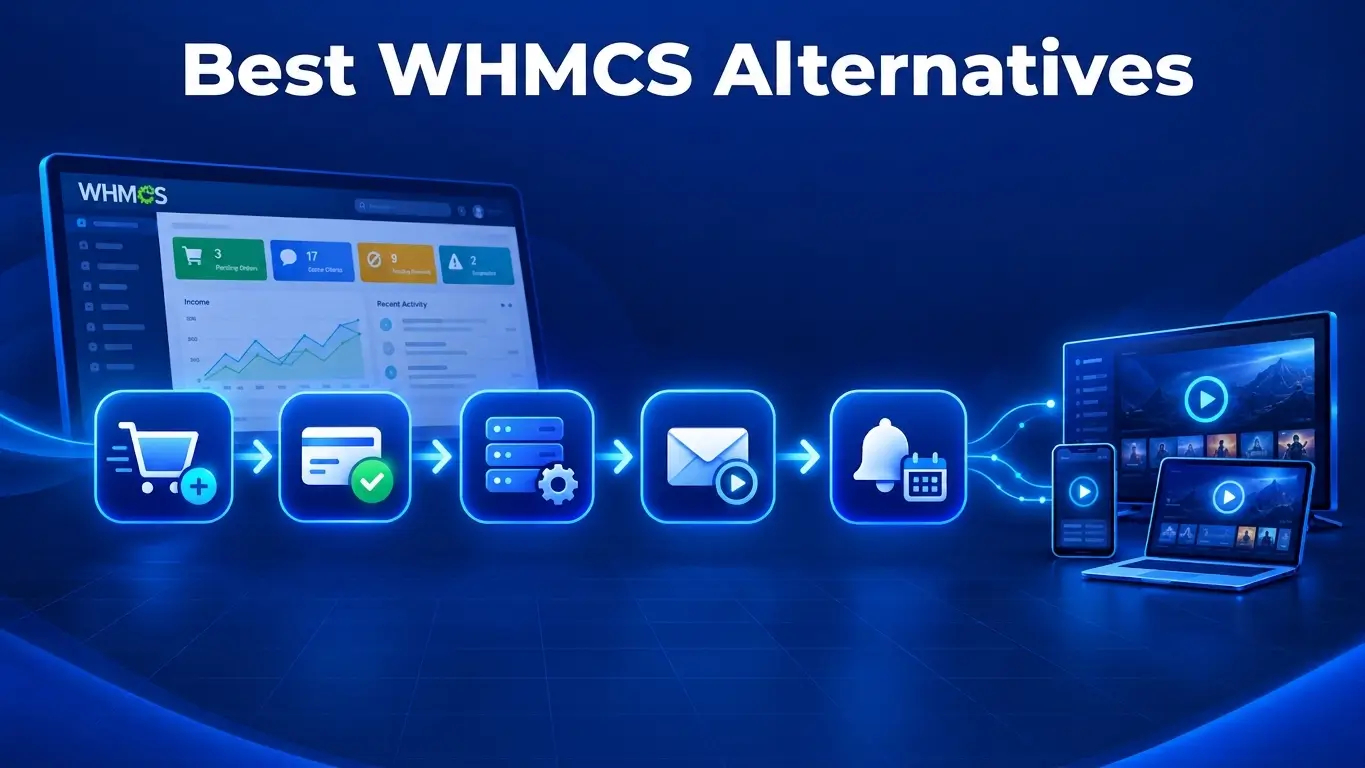
Last verified: October 19, 2026
A customer messages you at 2 a.m. They want a 12-month subscription. They pay. And then… nothing happens until you wake up, check your payment account, log into your reseller panel, create the line, copy the credentials, paste them into an email, and write the renewal date in a notebook you hope you won’t lose.
If that sounds familiar, you’ve probably started searching for the best WHMCS alternatives — or wondering whether you need WHMCS at all.
WHMCS is a respected billing and automation platform used by thousands of hosting companies. It handles invoices, client accounts, support tickets, and service provisioning very well. But many IPTV resellers discover that a hosting-company billing system is not the same thing as a tool that finishes the job: creating the subscription on the panel and putting working connection details in the customer’s hands within seconds.
In this guide, we compare the most relevant WHMCS alternatives for IPTV resellers — WHMCS itself as the baseline, Blesta, a WordPress + custom-integration build, and AutoTaskClick, an IPTV-focused automation platform. You’ll learn:
- Which alternative fits a small or growing IPTV reseller business
- Whether you need a full billing platform or mainly IPTV automation
- What setup, cost, and technical skills each option really requires
- How to automate IPTV orders from your WordPress site without building custom software
Let’s start with the quick answer.
Important: This guide is written for resellers distributing licensed, authorized IPTV services. Always make sure the content you sell is legally licensed in the markets you serve.
Quick Answer: Best WHMCS Alternatives at a Glance
Not every tool on this list does the same job. Here’s how they compare by use case:
- AutoTaskClick — Best for IPTV order-to-delivery automation. A WordPress plugin plus hosted dashboard that connects your checkout, payment confirmation, supported IPTV panel, credential delivery, and renewal reminders. No coding, no server to manage, pay per order.
- Blesta — Best traditional billing alternative to WHMCS. A flexible, self-hosted billing platform with recurring invoices and provisioning modules. Lower license cost than WHMCS, but IPTV panel integration must be verified or custom-built.
- WHMCS — Best for broad billing and hosting-style operations. The industry benchmark for invoicing, client management, and support desks. Powerful, but heavier to set up and maintain for a small IPTV business.
- WordPress + WooCommerce + custom integration — Best for developers who want full control. Maximum flexibility, but you (or a developer) own every line of integration code and every future fix.
The short version: if your main pain is manual order fulfilment — checking payments, creating lines, sending credentials, chasing renewals — a focused IPTV reseller software like AutoTaskClick usually solves it faster and with less technical effort than a general billing platform.
Comparison Table: WHMCS vs Blesta vs AutoTaskClick
| Criterion | WHMCS | Blesta | AutoTaskClick |
|---|---|---|---|
| Core purpose | Billing and web-hosting automation | Billing, provisioning, client management | IPTV reseller workflow automation |
| Technical skill needed | Server setup, PHP, cron jobs, modules | Server setup, modules, customization | Basic WordPress (install a plugin) |
| Hosting & maintenance | You host or use a reseller license | Self-hosted on your server | Hosted for you |
| IPTV panel integration | Verify a third-party module exists | Verify or build a module | Built-in for supported panels (e.g. Xtream UI, XUI, Stalker, Flussonic) |
| WordPress workflow | Via bridges/customization | Via bridges/customization | Native WordPress plugin |
| Automatic subscription creation | Depends on module | Depends on module | Yes, for supported panels |
| M3U / credential delivery | Depends on module and templates | Depends on module and templates | Automatic, branded emails |
| Renewal reminders | Invoice reminders | Invoice reminders | Scheduled by subscription expiry date |
| Customer self-service | Client area | Client area | Client area with channel-list customization |
| Pricing model | From $34.95/month (up to 250 clients) | From $17.95/month or $350 owned | $1 for first 20 orders, then from $0.55/order, no monthly fee |
| Best fit | Hosting-style businesses needing broad billing | Businesses wanting flexible, cheaper billing | Resellers who want IPTV order-to-delivery automation |
Prices reflect the vendors’ published 2026 pricing at the time of verification. Always confirm current pricing and panel compatibility before you buy.
See How IPTV Automation Works →
Why IPTV Resellers Need a Different Kind of Automation
Here’s the distinction most “WHMCS alternatives” articles miss: generating an invoice is not the same as delivering an IPTV subscription.
A hosting company’s workflow usually ends when the invoice is paid and a hosting account is provisioned through a well-established control panel like cPanel. An IPTV reseller’s workflow has more steps that customers notice immediately:
- Checkout — the customer chooses a package (1, 3, 6, or 12 months) on your website.
- Payment confirmation — the payment provider confirms the transaction.
- Panel provisioning — a line or subscription must be created on your IPTV reseller panel with the right duration and package.
- IPTV order delivery — the customer needs their username, password, M3U link, or portal details — fast.
- Renewal — before the subscription expires, the customer should be reminded and given an easy way to renew.
- Support — the customer may want to change a password, adjust channels, or add a second device.
If any one of these steps is manual, it becomes a bottleneck. Billing software can record the order and send an invoice, but if step 3 and step 4 still depend on you logging into a panel, you haven’t really automated your business — you’ve just organized your to-do list.
That’s why IPTV panel compatibility is the single most important factor when choosing software. The best billing system in the world doesn’t help you if it can’t talk to the panel you actually use.

The Real Cost of Manual IPTV Order Delivery
AutoTaskClick’s own workflow breakdown estimates that a manual order — checking payment, logging into the panel, creating the subscription, copying credentials, emailing them, recording the customer, and noting the renewal date — takes around 25 minutes per order. At just 10 orders a day, that’s over four hours of repetitive admin.
The hidden costs are even bigger:
- Lost night-time sales — customers who don’t receive access quickly often ask for a refund or buy elsewhere.
- Payment disputes — slow or incorrect delivery is one of the most common reasons customers open a dispute.
- Wasted panel credits — typos and duplicate lines burn credits you paid for.
- Missed renewals — no reminder means no renewal, and recurring revenue quietly disappears.
What Is WHMCS, and What Does It Do Well?
To compare fairly, let’s be clear about what WHMCS is good at. According to the official WHMCS feature overview, the platform offers:
- Billing and recurring invoicing — automated invoices, late-fee rules, and payment reminders
- Payment gateway integrations — a large library of supported gateways
- Client management — a full client area where customers view invoices and services
- Provisioning modules — automation for hosting control panels, domains, and other services
- Support tools — a built-in ticketing and help-desk system
- An extensible API and module system — developers can build integrations for almost anything
For web-hosting companies, domain resellers, and businesses that sell many different digital services, this breadth is genuinely valuable. WHMCS is mature, widely documented, and supported by a large ecosystem of developers.
The Practical Question for IPTV Resellers
The question isn’t “Is WHMCS good?” — it is. The question is:
Does WHMCS already connect to my specific IPTV panel, and am I ready to install, configure, and maintain it?
WHMCS doesn’t ship with IPTV panel provisioning out of the box. To automate subscription creation, you typically need a third-party module for your panel (if one exists and is maintained), plus a server, cron jobs, email templates, and ongoing updates. That’s very doable for a technical team — and a serious hurdle for a solo reseller with no developer.
Why IPTV Resellers Consider Alternatives to WHMCS
These aren’t universal defects in WHMCS. They’re common friction points for IPTV resellers depending on their size, skills, and setup.
1. Technical Setup Complexity
WHMCS is self-hosted software. A typical setup means preparing a server with the right PHP version, installing the application, configuring a database, setting cron jobs, securing the admin area, installing modules, and designing email templates. If something breaks after an update, you fix it — or pay someone who can.
2. Rising License Costs
WHMCS moved to client-count-based monthly licensing. According to its 2026 pricing, the Plus tier costs $34.95/month (up to 250 clients), Professional $54.95/month (up to 500 clients), and Business plans start at $84.95/month. You also pay for hosting, any IPTV panel module, and developer time. For a reseller doing 50–100 orders a month, that fixed overhead can be significant before you’ve made a single sale.
3. Panel-Module Availability
IPTV panels change frequently. A third-party WHMCS module may not support your panel, may lag behind panel updates, or may be abandoned. When the module breaks, provisioning stops — and so does your automation.
4. WordPress Disconnect
Many resellers already have a WordPress website that ranks, converts, and looks the way they want. WHMCS runs as a separate application with its own storefront, so connecting it neatly to your existing WordPress pages usually requires bridges or customization.
5. Credential Delivery and Renewals Aren’t IPTV-Native
WHMCS sends invoice reminders. But IPTV customers need M3U links, portal URLs, and login details in a clear, branded message, plus reminders tied to their actual subscription expiry date. Building that experience inside WHMCS takes extra configuration.

The Best WHMCS Alternatives Compared
Below, every option gets the same review structure so you can compare like for like.
1. AutoTaskClick — Best WHMCS Alternative for IPTV Automation

Best for: IPTV resellers who want orders delivered automatically from their WordPress site without hiring a developer.
What it is: AutoTaskClick is an IPTV reseller automation platform made of two parts: a WordPress plugin that adds the checkout to your site, and a hosted dashboard that connects to your IPTV panel and payment providers. When a customer pays, the system creates the subscription on your panel and emails the credentials automatically.
Key features:
- IPTV automation WordPress plugin — install it like any other plugin; works with WooCommerce and any WordPress theme
- Instant IPTV subscription delivery — automatic account creation, M3U/EPG link generation, and email dispatch; AutoTaskClick states delivery happens in under 20 seconds
- Smart renewal reminders — branded HTML emails scheduled automatically from each subscription’s expiration date, with unlimited custom templates
- Payment protection features — instant delivery to reduce disputes, multiple payment methods, per-plan payment routing, and monitoring
- Client self-service portal — customers manage subscriptions, renewals, passwords, channel lists, and multiple accounts under one login
- Real-time analytics — revenue, profit, renewal rate, top countries, best-performing plans, and panel credit usage
- Multi-panel support — works with panels such as Xtream UI, XUI, Stalker, Flussonic, and more
Deployment: Hosted. No server, no cron jobs, no software updates for you to manage.
Pricing: No monthly or setup fees. Your first 20 orders cost $1, then you pay per processed order: $0.55 (0–100 orders), $0.45 (100–500), or $0.35 (500+). See the AutoTaskClick pricing page.
Technical skill needed: Basic WordPress knowledge — installing a plugin, adjusting settings, and connecting payment gateways. Most resellers finish setup in under 30 minutes.
Pros:
- Built specifically for IPTV resellers — no adaptation required
- No coding, no server, no maintenance
- Pay only when you sell; costs scale with revenue
- Renewal reminders tied to real expiry dates
- Customers get a professional, branded experience
Cons:
- Your panel must be on the supported list (you can check compatibility before signing up)
- Not designed as a full hosting-company help desk or advanced tax/accounting system
Verdict: The most direct answer for resellers whose problem is manual fulfilment. It replaces the steps you do by hand rather than giving you a general toolkit to build on.
2. Blesta — Best Traditional Billing Alternative to WHMCS
Best for: Businesses that want a WHMCS-style billing platform at a lower price, with more open, customizable code.
What it is: Blesta is a self-hosted billing, provisioning, and client-management platform. It offers recurring invoices, payment integrations, a client area, and a module-based provisioning system — including a “universal module” for services that need custom fields, emails, or manual steps.
Deployment: Self-hosted on your own server.
Pricing: According to Blesta’s 2026 pricing, monthly licenses start at $17.95/month (branded), and owned licenses start at $350 one-time with one year of support and updates.
Technical skill needed: Moderate. You install and maintain it yourself, and IPTV provisioning typically requires a compatible module or custom development.
Pros:
- Lower license cost than WHMCS and no client-count tiers
- Mostly open source code — easier to customize
- Solid recurring billing and client area
Cons:
- No native IPTV panel integration; you must verify or build one
- Self-hosting means you manage server, security, and updates
- Credential delivery and M3U formatting need configuration
Verdict: A strong billing platform and a reasonable WHMCS replacement for technical teams. For a non-technical IPTV reseller, it shares most of WHMCS’s setup challenges.
3. WHMCS — The Baseline (Still Right for Some)
Best for: Businesses that sell many service types and need deep invoicing, tax handling, and a ticketing help desk.
Deployment: Self-hosted or via a hosting provider’s license.
Pricing: From $34.95/month for up to 250 clients in 2026, scaling with client count.
Technical skill needed: Moderate to high, especially to add IPTV provisioning.
Pros: Mature, feature-rich, huge ecosystem of modules and developers.
Cons: Higher fixed cost, server maintenance, IPTV automation depends on third-party modules.
Verdict: Keep WHMCS if you already run a multi-service operation with technical staff and a reliable IPTV module.
4. WordPress + WooCommerce + Custom Integration — The Build-Your-Own Route
Best for: Resellers with developer skills (or budget) who want total control.
What it is: You sell plans through WooCommerce on WordPress, then a developer writes code that calls your panel when an order is paid, formats the credentials, and sends the email. Renewals need a subscription extension plus more custom logic.
Pricing: Plugins are cheap or free; developer time is not. Expect ongoing costs every time your panel, WooCommerce, or payment provider changes.
Pros: Fully customizable; you own the stack.
Cons: You own every bug. No support when the panel changes its interface at 11 p.m. on a Friday. Renewal reminders, client areas, and analytics all have to be built.
Verdict: Only worth it if you have in-house development capacity. Otherwise, an existing IPTV automation tool gives you the same result without the maintenance burden.
AutoTaskClick vs WHMCS: Which Is Better for IPTV Subscription Delivery?
This is the comparison that matters most for IPTV resellers, so let’s look at it closely.
A typical small reseller already has:
- A WordPress website
- A reseller panel holding their subscriptions and credits
- A handful of packages to sell
- Customers who order through WhatsApp or Telegram
- A manual routine for checking payments, creating lines, and sending details
The real question isn’t “which platform generates invoices?” It’s “which setup connects my customer’s order to the right panel action and delivery — with the least effort?”
Benefit #1: No Technical Knowledge Required
With WHMCS, the journey starts with a server. With AutoTaskClick, it starts with a WordPress plugin.
AutoTaskClick’s setup has three steps:
- Register and access your dashboard and the WordPress plugin.
- Link and configure — connect your IPTV panel, set up your plans, add your payment gateway, and complete your email settings in one place.
- Go live — generate your embed token, add the checkout code to your store, and start taking orders.
There’s no PHP to configure, no cron jobs to schedule, no modules to install and patch. If you can install a WordPress plugin, you can automate your IPTV business.
Benefit #2: Easy to Use, Every Day
WHMCS is built to manage hundreds of settings across many product types. That flexibility comes with a learning curve. AutoTaskClick’s dashboard is focused on what an IPTV reseller checks every day: today’s orders, delivery status, revenue, renewals, and panel credit usage. Less to learn, less to break.
Benefit #3: Automated Renewal Reminders That Actually Match Subscriptions
WHMCS sends invoice reminders. AutoTaskClick sends renewal reminders based on each subscription’s expiry date — the date your customer actually cares about. You can:
- Create unlimited branded HTML email templates
- Schedule reminders once and let them send automatically
- Time messages to convert free trials into paying customers
- Track sent reminders and expirations from your dashboard
Renewals are where recurring revenue lives. Automating them is often the fastest way to grow without finding new customers.
Benefit #4: Payment Protection
For IPTV resellers, a payment dispute can be more damaging than a lost sale. AutoTaskClick approaches payment protection in several practical ways:
- Instant delivery reduces disputes. The most common reason customers open a dispute is not receiving what they paid for. When credentials arrive within seconds, that reason disappears. AutoTaskClick reports up to 40% fewer disputes compared with manual delivery.
- Multiple payment methods. Accept PayPal, Stripe, Airwallex, crypto, and more, so customers can pay the way they prefer.
- Per-plan payment routing. Assign different gateways to different plans (for example, one gateway for monthly plans and another for annual plans) to keep payment processing organized.
- Secure, encrypted configuration. Panel credentials are encrypted at rest and not shown in plain text, and payments are processed through PCI-compliant providers such as Stripe.
- Monitoring and notifications. Every transaction and delivery event is logged so you can spot problems early.
Always use payment providers in line with their terms of service and accurately describe what you sell. Clear product descriptions plus fast delivery is the most reliable long-term protection for any payment account.
Learn more on the AutoTaskClick Security & Trust page.
Benefit #5: A Professional Client Area
Customers can log in to manage subscriptions and renewals, change passwords, customize their channel lists, place new orders, and manage multiple IPTV accounts under one login. Every self-service action is one less WhatsApp message for you to answer.
Benefit #6: Pay-As-You-Grow Pricing
WHMCS charges a monthly license whether you sell 5 subscriptions or 250. AutoTaskClick charges per processed order, with no monthly or setup fees. When you’re starting out, your software cost stays tiny. When you’re growing, the per-order price drops.
Side-by-Side Decision Table
| Question | WHMCS | AutoTaskClick |
|---|---|---|
| Do I need broad billing and hosting-management features? | A strong candidate | Check whether its features cover your needs |
| Is my main priority automating IPTV orders? | Depends on available modules | Its core use case |
| Do I want to keep my WordPress site? | Possible with integrations | Native WordPress plugin |
| Do I have no technical skills or developer? | Challenging | Designed for this |
| Do I want automatic renewal reminders by expiry date? | Requires configuration | Built in |
| Do I want to avoid server maintenance? | No — self-hosted | Yes — hosted |
| Do I need advanced tax or help-desk operations? | Built in | May need a separate tool |
The Balanced Verdict
- Choose WHMCS if you need broad billing, client management, a help desk, and multi-service provisioning, and you have a working IPTV module and technical support.
- Consider Blesta if you want a cheaper, more open billing platform and can handle self-hosting and module work.
- Choose AutoTaskClick if your priority is connecting a WordPress sales flow to your supported IPTV panel and automating subscription delivery, reminders, and customer self-service — without technical knowledge.
AutoTaskClick isn’t a one-to-one replacement for every WHMCS feature, and it doesn’t try to be. It replaces the part of your day that actually costs you time and customers.
Explore AutoTaskClick Features →
How to Automate IPTV Orders Without Building Custom Software
If you have 10–50 customers, basic tech skills, and no developer, here’s a practical path to full automation.
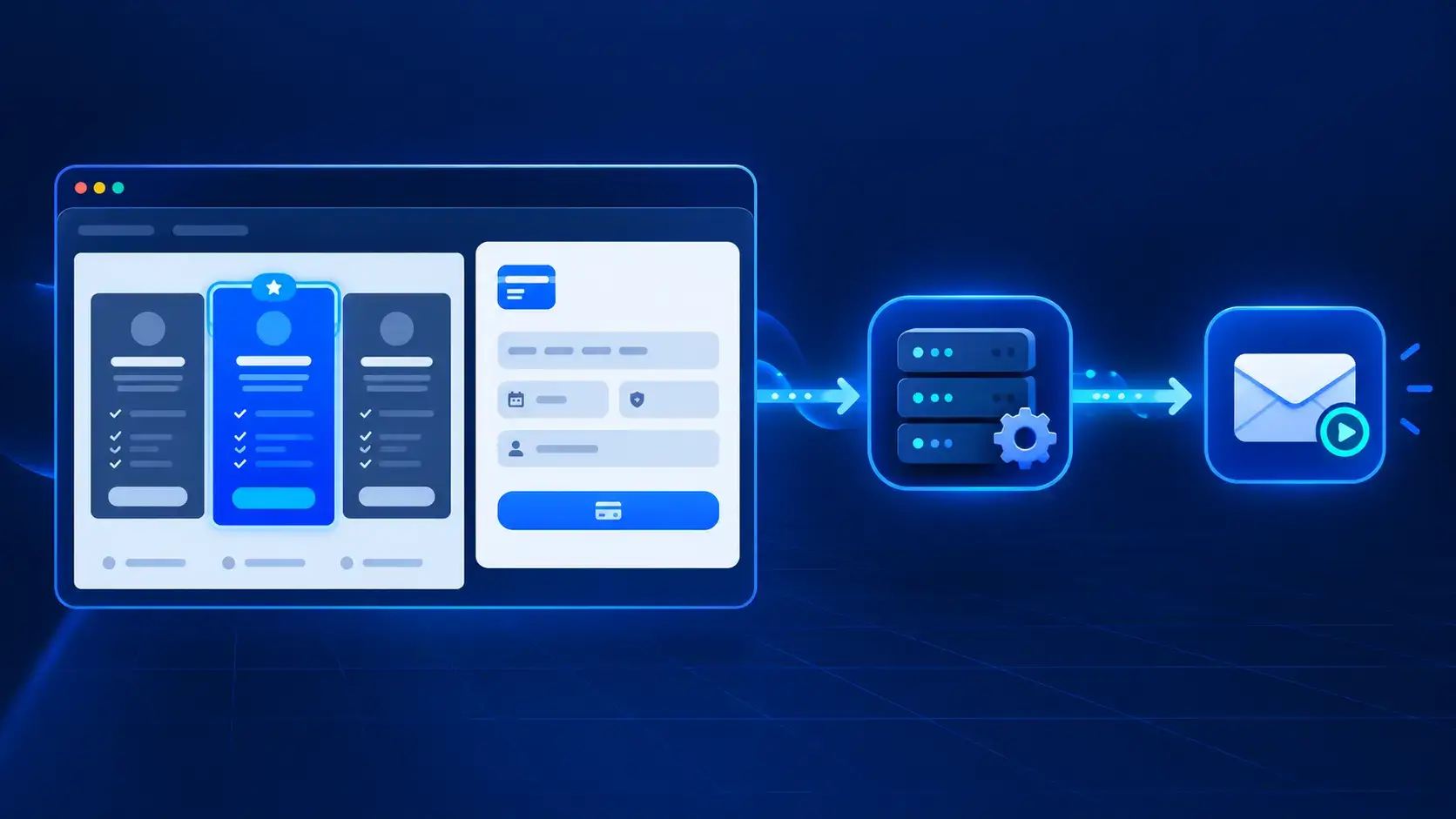
Step 1: Check Your IPTV Panel’s Compatibility
Confirm that your panel is supported and that your reseller account has the permissions needed to create and manage subscriptions. AutoTaskClick lets you check compatibility by entering your panel name and URL before you sign up.
Step 2: Prepare Your Website and Packages
In WordPress, create clear product pages for each package. State the duration, price, number of connections, and what’s included. Clear descriptions reduce support questions and disputes.
Step 3: Connect a Supported Payment Method
Connect a payment provider that supports your business and region. Test successful, failed, and pending payments so you know exactly what customers experience in each case.
Step 4: Connect the Automation Workflow
Install the AutoTaskClick plugin, link your panel, and map each product to the correct subscription package and duration on your panel.
Step 5: Set Up Credential Delivery
Customize your delivery email with your logo and brand. Make sure it includes everything the customer needs — username, password, M3U link, or portal details — plus simple setup instructions.
Step 6: Test the Full Purchase Journey
Place a real test order from start to finish. Confirm the subscription appears on your panel and the email lands in the inbox (not spam).
Step 7: Configure Renewal Reminders
Set reminders at sensible intervals before expiry — for example, 7 days, 3 days, and 1 day. Include a direct renewal link.
Step 8: Monitor and Refine
Review your dashboard regularly for failed payments or delivery errors. Keep a simple manual backup process for rare cases automation can’t complete.
For a detailed walkthrough, read our guide on how to automate an IPTV business.
IPTV M3U Delivery, Renewals, and Customer Self-Service
What happens after the payment is what customers remember.
Instant IPTV M3U Delivery
With AutoTaskClick, once payment is confirmed, the system creates the account on your supported panel and generates the connection details — including M3U and EPG links where your panel provides them. A branded email is sent from your own email address, so customers see your business name, not a third party’s.
Renewals on Autopilot
Instead of tracking expiry dates in a spreadsheet, renewal reminders go out automatically based on each subscription’s end date. Customers get a timely, professional nudge; you get predictable recurring revenue.
Customer Self-Service
Customers can log in to:
- View and renew subscriptions
- Change passwords
- Customize their channel lists
- Order additional subscriptions
- Manage multiple IPTV accounts in one place
Feature availability can depend on your panel, so confirm which self-service options your panel supports during setup.
How to Choose the Right WHMCS Alternative for Your Business
Use this simple decision framework:
If You’re Just Starting an IPTV Reseller Business
Choose a tool with no monthly fees and no technical setup. When you start an IPTV business, cash flow and time are your scarcest resources. AutoTaskClick’s $1 trial for 20 orders and per-order pricing keep risk low while you validate demand.
If You Already Have a WordPress Website
Pick software with a native WordPress plugin so you keep your design, content, and SEO. AutoTaskClick fits directly into your existing site.
If You Already Have a Reseller Panel
Panel compatibility comes first. Check the supported list before comparing anything else.
If You Need Advanced Billing, Taxes, or a Help Desk
WHMCS or Blesta may still be the better core platform — especially if you sell other services besides IPTV and have technical staff.
If You Have a Developer and Want Total Control
A custom WordPress build can work, as long as you budget for ongoing maintenance.
Frequently Asked Questions
What are the best WHMCS alternatives for IPTV resellers?
The best choice depends on your workflow. For IPTV order-to-delivery automation without technical skills, AutoTaskClick is the most focused option. Blesta is a strong traditional billing alternative, and WHMCS remains suitable for businesses needing broad billing and help-desk features.
Can I automate IPTV subscription delivery without WHMCS?
Yes. An IPTV automation tool like AutoTaskClick connects your WordPress checkout to a supported IPTV panel, creates subscriptions automatically after payment, and emails credentials to the customer — no WHMCS required.
What is IPTV automation software?
IPTV automation software processes orders, activates subscriptions on your panel, sends credentials, manages renewals, and tracks performance automatically, replacing manual steps a reseller would otherwise do by hand.
Can AutoTaskClick automate IPTV orders from WordPress?
Yes. AutoTaskClick provides a WordPress plugin that works with WooCommerce and any theme, connecting your checkout to your supported IPTV panel for automatic order processing.
Does AutoTaskClick support IPTV M3U delivery?
Yes. It generates and sends M3U and EPG links automatically as part of the delivery email, where your panel supports them.
Do I need technical knowledge to use AutoTaskClick?
No advanced skills are needed. Basic WordPress knowledge — installing a plugin, adjusting settings, and connecting a payment gateway — is enough. Most resellers finish setup in under 30 minutes.
Is Blesta a good alternative to WHMCS for IPTV resellers?
Blesta is a capable, lower-cost billing platform. However, it’s self-hosted and doesn’t include native IPTV panel integration, so you’ll need a compatible module or custom development to automate subscription creation.
Does AutoTaskClick send renewal reminders?
Yes. It schedules branded renewal emails automatically based on each subscription’s expiration date, with unlimited customizable templates.
Does AutoTaskClick replace every WHMCS feature?
No. It’s focused on IPTV order automation, delivery, renewals, payments, and customer self-service. If you need advanced tax management or a full help desk, evaluate those separately.
How much does it cost to automate IPTV orders?
With AutoTaskClick, your first 20 orders cost $1. After that, pricing starts at $0.55 per order and drops to $0.35 at higher volumes, with no monthly or setup fees. By comparison, WHMCS starts at $34.95/month in 2026, before hosting and module costs.
Can I start an IPTV reseller business with WordPress?
Yes. WordPress is an excellent foundation. Combine it with a licensed IPTV service, a supported reseller panel, a payment provider, and an automation plugin like AutoTaskClick to run a professional storefront.
More answers are available in the AutoTaskClick FAQ.
Conclusion: Choose Automation That Fits Your IPTV Workflow
The best WHMCS alternatives aren’t all trying to do the same job. WHMCS and Blesta are excellent billing platforms for businesses with technical resources and broad billing needs. But if you’re an IPTV reseller whose biggest problem is manual work — checking payments, creating lines, sending credentials, and remembering renewals — you don’t need a bigger billing system. You need IPTV automation that finishes the job.
AutoTaskClick gives you that without the technical overhead: a WordPress plugin you can install in minutes, automatic subscription creation on supported panels, instant IPTV subscription delivery, renewal reminders tied to real expiry dates, payment protection through fast delivery and organized routing, and a client area your customers will actually use.
Ready to Automate Your IPTV Subscription Delivery?
If you’re spending hours every day processing orders by hand, it’s time to simplify. Check whether your panel is supported, connect your WordPress site, and let your next order deliver itself.